


iOS8.4如何删除app?首先如果你要删除普通APP,十分的简单,和以前一样按着不妨,图标上面会出现删除的符号。不过如果你要删除系统自带的App呢?来看下下面的方法来精简系统吧!
一、先把设备进行iOS8.4完美越狱。(iOS8.4越狱教程)
二、连接PP助手等同步工具,进入文件系统(越狱),开始删除文件:
路径 Library/LaunchDaemons 里面的PLIST文件。
/Applications/SocialUIService.app/PlugIns/com.apple.social.FacebookComposeService.appex
/Applications/FacebookAccountMigrationDialog.app
/System/Library/AccessibilityBundles/FacebookSettings.axbundle
/System/Library/PreferenceBundles/FacebookSettings.bundle
/System/Library/Accounts/Authentication/FacebookAuthenticationPlugin.bundle
/System/Library/Accounts/Access/FacebookAccessPlugin.bundle
/System/Library/frameworks/Social.framework/XPCServices/com.apple.facebook.xpc
Flickr
/Applications/SocialUIService.app/PlugIns/com.apple.social.FlickrComposeService.appex
/System/Library/PreferenceBundles/FlickrSettings.bundle
/System/Library/Accounts/Authentication/FlickrAuthenticationPlugin.bundle
/System/Library/frameworks/Social.framework/XPCServices/com.apple.flickr.xpc
/System/Library/Privateframeworks/VUSocialUpload.framework
Vimeo
/Applications/SocialUIService.app/PlugIns/com.apple.social.VimeoComposeService.appex
/System/Library/PreferenceBundles/VimeoSettings.bundle
/System/Library/Accounts/Authentication/VimeoAuthenticationPlugin.bundle
/System/Library/frameworks/Social.framework/XPCServices/com.apple.vimeo.xpc
/System/Library/Privateframeworks/VUSocialUpload.framework
iBooks
/Applications/iBooks.app
/Applications/Setup.app/AppleIDiBooks@2x.png
/System/Library/SyncBundles/Books.syncBundle
/var/mobile/Media/Books
Podcasts
/Applications/Podcasts.app
/private/var/mobile/Library/SpringBoard/PushStore/com.apple.podcasts.pushstore
/System/Library/AccessibilityBundles/Podcasts.axbundle
/System/Library/Assistant/Plugins/Podcasts.assistantBundle
Tips
/Applications/Tips.app
/etc/asl/com.apple.tips
/etc/asl/com.apple.tipsd
/private/var/mobile/Library/Preferences/com.apple.tipsd.plist
/System/Library/AccessibilityBundles/Tips.axbundle
/System/Library/LaunchDaemons/com.apple.tipsd.plist 或/Library/LaunchDaemons/com.apple.tipsd.plist
/System/Library/Privateframeworks/Tips.framework
/usr/libexec/tipsd
/Applications/SocialUIService.app/PlugIns/com.apple.social.TwitterComposeService.appex
/System/Library/AccessibilityBundles/Twitterframework.axbundle
/System/Library/AccessibilityBundles/TwitterSettings.axbundle
/System/Library/frameworks/Twitter.framework
/System/Library/PreferenceBundles/TwitterSettings.bundle
/System/Library/Accounts/Authentication/TwitterAuthenticationPlugin.bundle
/System/Library/frameworks/Social.framework/XPCServices/com.apple.twitter.xpc
/System/Library/Privateframeworks/MobileSync.framework/
下面是Apple Watch不建议删除,会不断的搜索反而费电。
Apple Watch
/Applications/Bridge.app
/private/var/mobile/Library/SpringBoard/PushStore/com.apple.Bridge.pushstore
/System/Library/AccessibilityBundles/Bridge.axbundle
/private/var/mobile/Library/Preferences/com.apple.Bridge.plist
/System/Library/AccessibilityBundles/WatchKit.axbundle
/System/Library/frameworks/WatchKit.framework
/System/Library/LocationBundles/AppleWatchFaces.bundle
/System/Library/Privateframeworks/BridgePreferences.framework
三、下载删除数组文件(点击这里下载),解压并替换至【/Applications/Preferences.app/】路径中,这么做是因为在设置里面有些地方会出现上述软件,删除跟上面软件有关的数组就没问题了。
四、完成以上操作之后清理手机缓存,重启手机即可。
 国产科幻游戏《解限机》公测爆火+新华社再次“点将”西山居
 PICO加码内容生态:全面开放平台机制,赋能每一位XR开发者
 成功引领旗舰革命后,高通的底气明显更足了
 《数码宝贝:源码》预约已突破800万,这一次都不是被选剩的孩子!
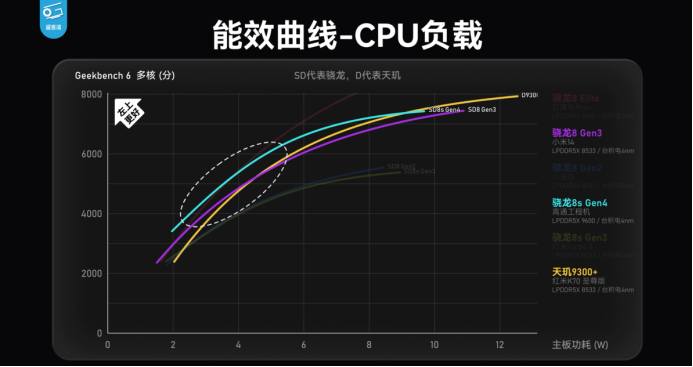 第四代骁龙8s工程机测试 跑分、游戏数据展现超强实力
 第四代骁龙8s正式发布,“新生代”旗舰有何真实力?
 小米机械键盘MK71 Pro,用料领先,超值体验,为个性化需求而生!
 历经五年磨难,《数码宝贝:源码》找到了破局之路
